 Dr Bling Bling
Where your money went, without typing it in
You already download statements from your bank. Give one to this app and it reads it, sorts it out, and tells you what your money did.
- No bank login.It never asks for your bank password, because it never talks to your bank.
- Nothing leaves the phone.Your statements are read on the device. No account, no server, nothing sent anywhere.
- No subscription.Free to use, with a one-time purchase if you want everything. No adverts, and nothing trying to sell you a financial product.

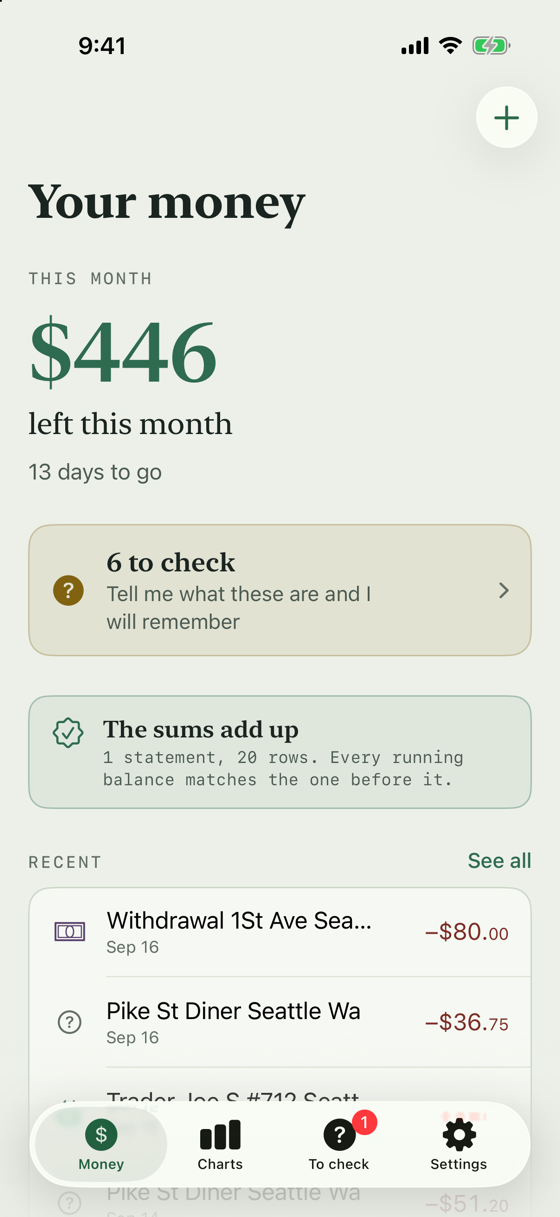
An invented statement, not anybody's real money
Three steps, and the third one is the app's job
Download your statement
From your bank's app or website, the way you already do. PDF, Excel or CSV. A photograph of a paper one works too.
Send it to the app
Share it straight from your bank's app, pick it from Files, or point the camera at it. That is the whole of your part.
It reads it
Every payment sorted into what it was and who it went to, month by month. When it isn't sure, it asks rather than guesses.
Your statement checks itself
Where a statement prints a running balance, every line has to agree with it: this balance, minus the one above, equals this payment. If the app has misread a single figure, the column stops adding up and it says so.
An app that plugs into your bank has a feed of numbers and nothing to check them against. A statement brings its own proof.
| Date | On the statement | Amount | Balance |
|---|---|---|---|
| 1 Sep | PAYROLL ACME CORP | +3,415.00 | 8,235.00 |
| 1 Sep | RENT OAKWOOD PROPERTIES | −1,850.00 | 6,385.00 |
| 5 Sep | KROGER #0442 | −128.64 | 6,256.36 |
| 7 Sep | NETFLIX.COM | −15.49 | 6,240.87 |
| 8 Sep | SHELL OIL 57445512908 | −52.30 | 6,188.57 |
Every balance agrees with the line above it. Five figures out of five.
It asks, once, and then remembers
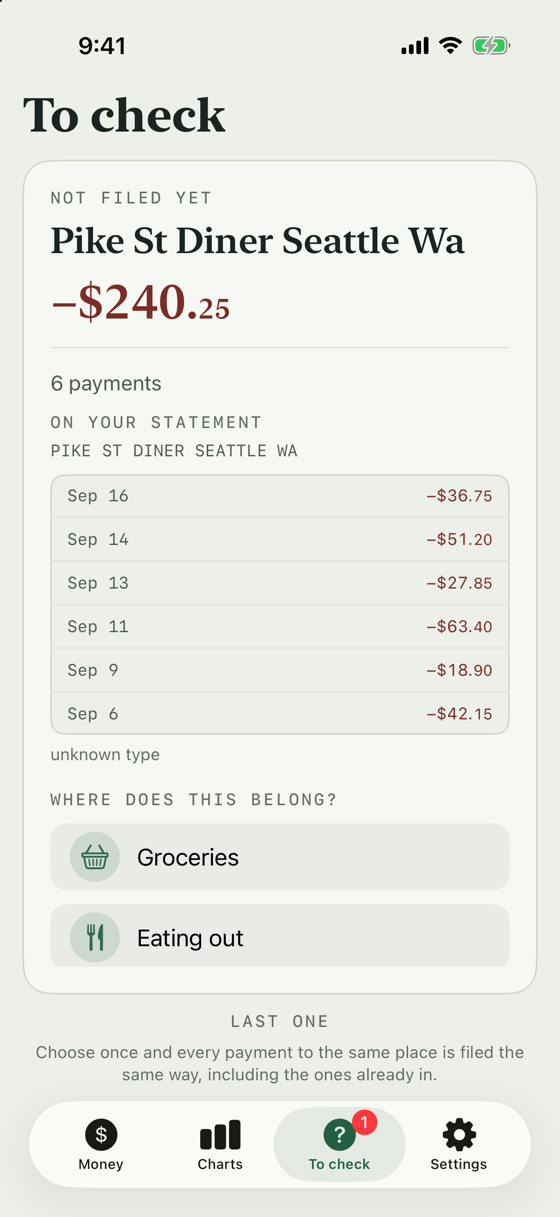
Banks print shop names cut off halfway, in capitals, with no spaces. Some of them nothing could place. Those come to one screen, one card at a time, heaviest first, so ten minutes settles most of the money.
Answer once and every payment to that merchant is filed the same way from then on, including the ones already in. Change your mind later and nothing is stuck: any payment can be moved, and so can the rule behind it.
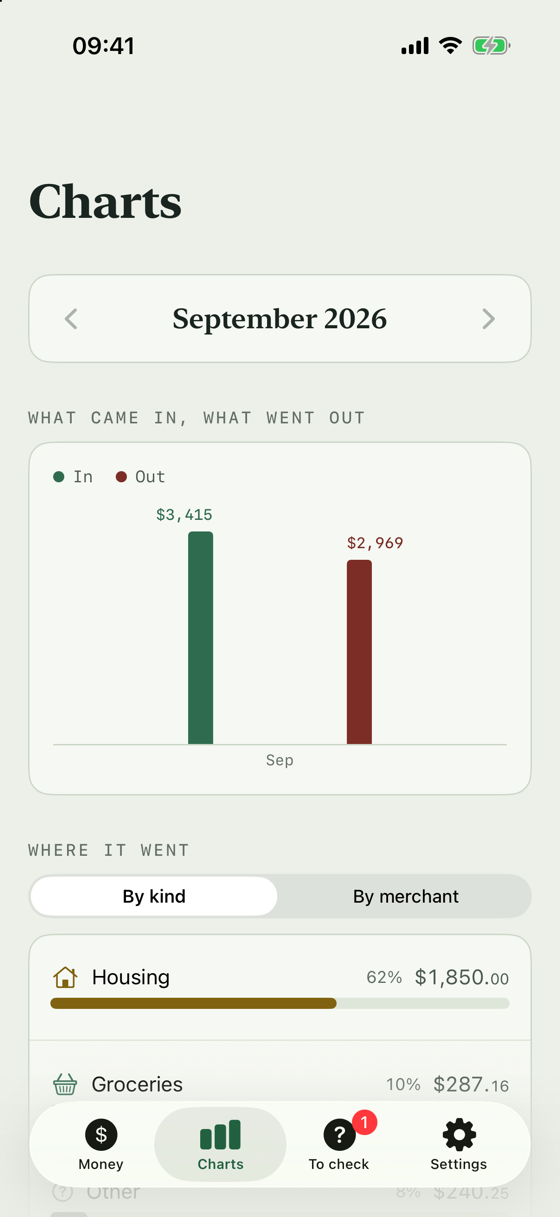
Three charts, and there is no fourth
What came in and what went out, side by side. It is the only chart that answers whether the month is going all right, so it goes first.
Under it, everything that went out, as bars, biggest first, with the figure written beside each one. One tap swaps the same list between what you spent it on and who got it, because those are the same question asked two ways.
Tap a bar and you get that one thing across twelve months. Whether the electricity is creeping up becomes something you can look at rather than a feeling.
There is no pie chart. Spending splits nineteen ways here, and nineteen slices of a ring is a puzzle rather than a chart. It is worse again for anybody who does not see colour well. A bar has a length you can compare and a number written next to it.
The check-up, which is where the name comes from
On the third of the month, one notification. Not a streak, not a nudge, not a note about how long it has been since you opened anything. Five things about the month that just ended, worked out on the phone.
What it will say
- Something started, and what it cost.
- Something that came every month stopped.
- One kind of spending was higher or lower than last month, and by how much.
- The single biggest payment.
- Or: the month looked much like the one before, which is worth knowing too.
It will not tell you that you spent too much, suggest a budget, compare you to anybody, or recommend a financial product. It describes what happened and what it cost. That is the whole job.
The honest list
Most of these are deliberate. It seems fairer to put them here than to let you find out after you have installed it.
- It does not connect to your bank. That means no live balance and no automatic updates. You add a statement when you have one.
- It does not give advice. It describes what happened and what it cost. It will never recommend a financial product or tell you that you spent too much.
- It is not perfect at guessing. On a first import it places roughly three quarters of payments on its own. The rest it asks about, and it does not ask twice.
- It has been tested against Portuguese banks. Spanish and British statements should work, and the steps for 22 banks across the three countries are in the app, but only Santander Portugal has been walked through end to end.
It is on the App Store
Free to download. Every way of adding a statement is free, and one purchase, paid once, unlocks everything else. No subscription.
There is no server to trust
This is not a policy, it is how the thing is built. Statements are read on the iPhone. There is no account to create, nothing is uploaded, and the app collects no usage data of any kind — which also means nobody here can see whether it worked for you, so the accuracy figures above come from hand-checked statements rather than from watching anybody.
Your ledger stays on the phone. Like every app's data, it is part of your iPhone's own backup if you have one switched on. You can take everything out again, in one place, whenever you like.